
Can ChatGPT Transcribe Audio? Plans, Limits and Real Time
Yes. Since October 6, 2026, ChatGPT can transcribe an audio file you attach to a chat, on any paid plan, with files up to 512 MB. The Free plan can't upload audio. Every plan, Free included, can use the microphone icon to turn your own speech into text you edit before sending.
OpenAI adds two warnings of its own. Its help page on uploading audio says transcripts "may contain errors, and speaker identification may be unreliable," and that very long recordings may time out. So ChatGPT is a fair way to get a first transcript of a meeting or an interview, and a risky way to get a quote you plan to publish without listening again. Ask for the transcript first and check it, then ask for the summary.
The facts about ChatGPT below come from OpenAI's help center and developer docs, checked on November 10, 2026. If another page tells you ChatGPT can't take an audio file, it was probably written before October 6.
OpenAI has five ways to turn speech into text
People say "ChatGPT transcribed it" about five different features. Four are in ChatGPT, and one is OpenAI's API for developers:
| Route | What it does | Who gets it, and where |
|---|---|---|
| Audio file upload | Turns a recording you attach (MP3, M4A, WAV and more) into a transcript, a summary or answers | Paid plans only. OpenAI doesn't say which apps |
| Dictation (microphone icon) | Turns your own voice into text in the message box, for you to edit and send | All plans. ChatGPT's message box only |
| Voice | A spoken conversation with ChatGPT; a transcript is added to the chat afterwards, and OpenAI says it is "not verbatim" | All plans; most have usage limits over a rolling 24 hours. Web, phone apps and desktop app |
| Record, and the newer Meetings plugin | Records a meeting through your Mac's microphone and system audio. Record transcribes it live; Meetings writes notes a few minutes after you stop | Record: the older Mac app, Plus and up. Meetings: the new Mac app, Pro and Business, in beta. Not on phones or Windows |
| OpenAI's API | Transcribes a file up to 25 MB or a live audio stream, in your own code | Developers, billed per minute, separately from any ChatGPT plan |
Only the first row answers the question most people bring here: how do I get the text of a recording I already have? Dictation is for your own voice going into ChatGPT. Voice is a conversation, not a transcription tool. Record and Meetings capture a meeting as it happens, on a Mac. The API is for people who write code.
How to transcribe an audio file in ChatGPT
You need a paid ChatGPT plan or workspace. OpenAI's pricing page lists Go, Plus and Pro for individuals, and Business and Enterprise for teams; Plus is 20 dollars a month. The upload help page says "paid ChatGPT subscriptions" without naming plans one by one, so if you'd buy Go only for this, check that it takes your audio file before you rely on it. Then:
- Open a new chat and attach the recording, the same way you attach a PDF.
- Tell ChatGPT exactly what you want. "Transcribe this" leaves room for a summary, so ask for every word, and give it the names and terms it will hear:
Transcribe this recording word for word. Don't summarize or shorten anything.
Label each speaker as Speaker 1, Speaker 2 and so on.
Write [unclear] wherever you can't make out a word.
Names and terms you'll hear: [people, companies, products, jargon].
- Check that the transcript reaches the end of the recording, then check it against the audio wherever it matters: names, numbers, dates, anything you'll quote. OpenAI's own instruction is to "review important details against the original recording."
- Then ask for the summary, the action items or the follow-up email. OpenAI lists all of these as things ChatGPT can do with a recording.
Ask for the transcript before the summary. A summary built on a transcript you've checked carries your corrections. A summary taken straight from the audio hides its mistakes, because you have nothing to check it against.
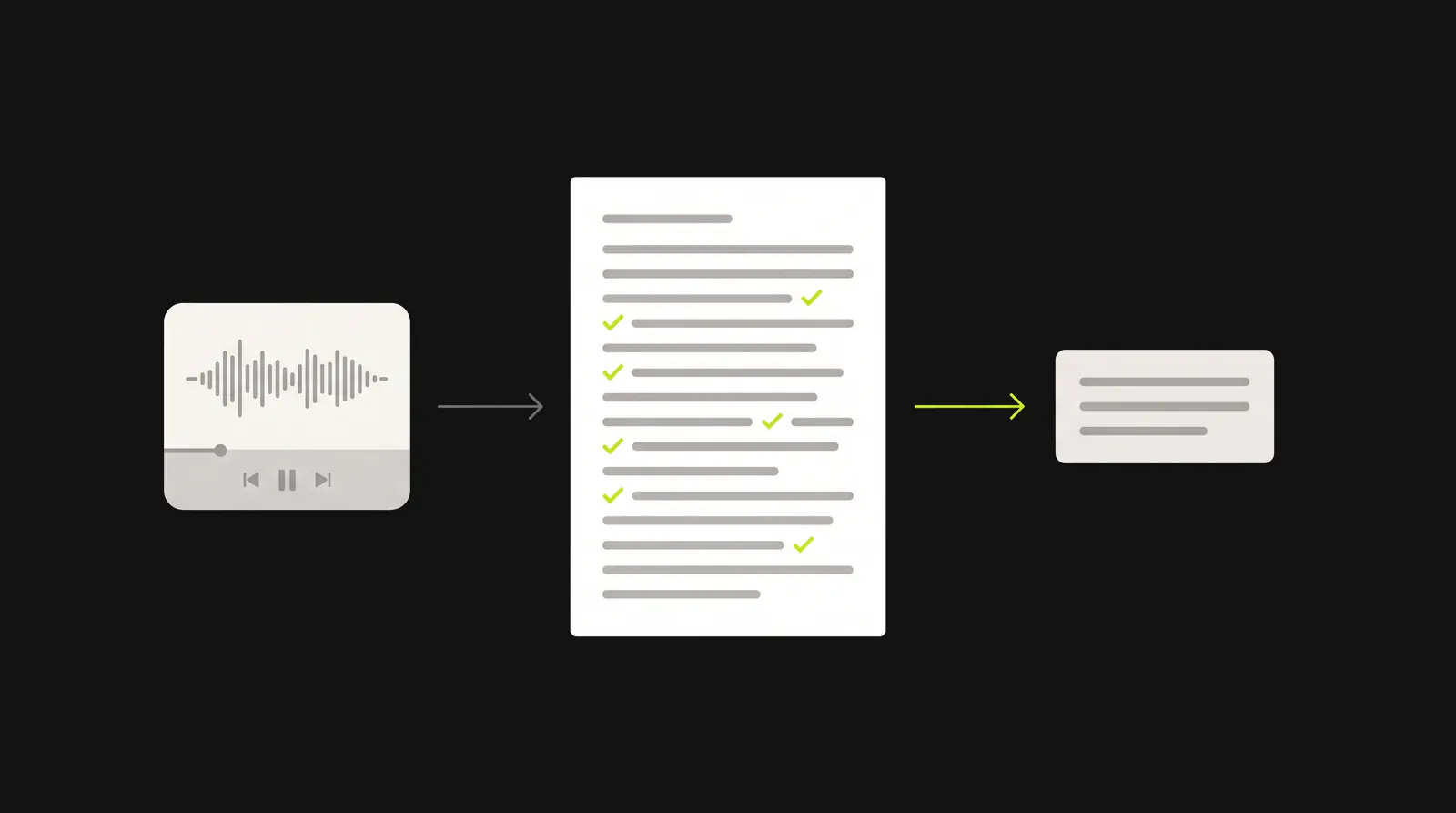
Ask for the transcript first and check it. A summary built on a checked transcript carries your corrections.
OpenAI doesn't say that audio uploads return timestamps. If you ask for timestamps or subtitle timings anyway, check several against the audio before you rely on them.
If the upload fails, OpenAI says to check that the file is a supported format with "a valid, decodable audio stream." If it uploads but won't transcribe, OpenAI suggests converting it to WAV and trying again. OpenAI also says availability can vary by the model you select, so if ChatGPT replies that it can't listen to audio, pick a different model and try again. OpenAI doesn't give a separate upload rate for audio (its limit of 80 files every 3 hours is stated for documents and images).
Two more things to watch. OpenAI doesn't say whether the iPhone and Android apps take audio files; if yours won't, use chatgpt.com in a browser. And if ChatGPT offers to send the file to a connected app such as Descript, the transcript then comes from that app, not from ChatGPT.
Which files work, and how much recording fits in 512 MB
OpenAI lists these audio formats: WAV, MP3/MPEG, OGG/OGA, audio-only WebM, PCM, FLAC, AAC, M4A and audio-only MP4. Video is a separate case. ChatGPT accepts video attachments, Free plan included, but OpenAI says it "may not analyze the entire video or accurately interpret its audio," and "WebM and MP4 files identified as video are not supported by audio uploads." For a transcript of a video, upload its audio as its own file.
The limit is 512 MB per file. How much speech that holds depends on the format, so we worked it out from each format's bitrate:
| Format | Fits in 512 MB (ChatGPT) | Fits in 25 MB (API) |
|---|---|---|
| WAV, CD quality (44.1 kHz, 16-bit, stereo) | About 48 minutes | About 2 minutes |
| WAV, 48 kHz, 24-bit, stereo | About 29 minutes | About 1 minute |
| WAV, 16 kHz, 16-bit, mono | About 4 hours 26 minutes | About 13 minutes |
| MP3 or M4A at 128 kbps | About 8 hours 53 minutes | About 26 minutes |
| MP3 or M4A at 64 kbps | About 17 hours 46 minutes | About 52 minutes |
Figures are audio only, rounded down, with 1 MB counted as 1,000,000 bytes: the file size in bits divided by the bitrate.
Two things follow. An uncompressed WAV from a good recorder can hit the cap in under an hour, and OpenAI's convert-to-WAV advice can make a file bigger, so use 16 kHz mono if you convert to WAV. And for compressed files, 512 MB is rarely what stops you. OpenAI says longer recordings "may be processed in smaller sections when Data Analysis is available," that processing is "best-effort," and that "very long recordings may time out." It doesn't state a maximum length. If a long recording fails or the transcript stops partway, split it into shorter files and upload them one at a time.
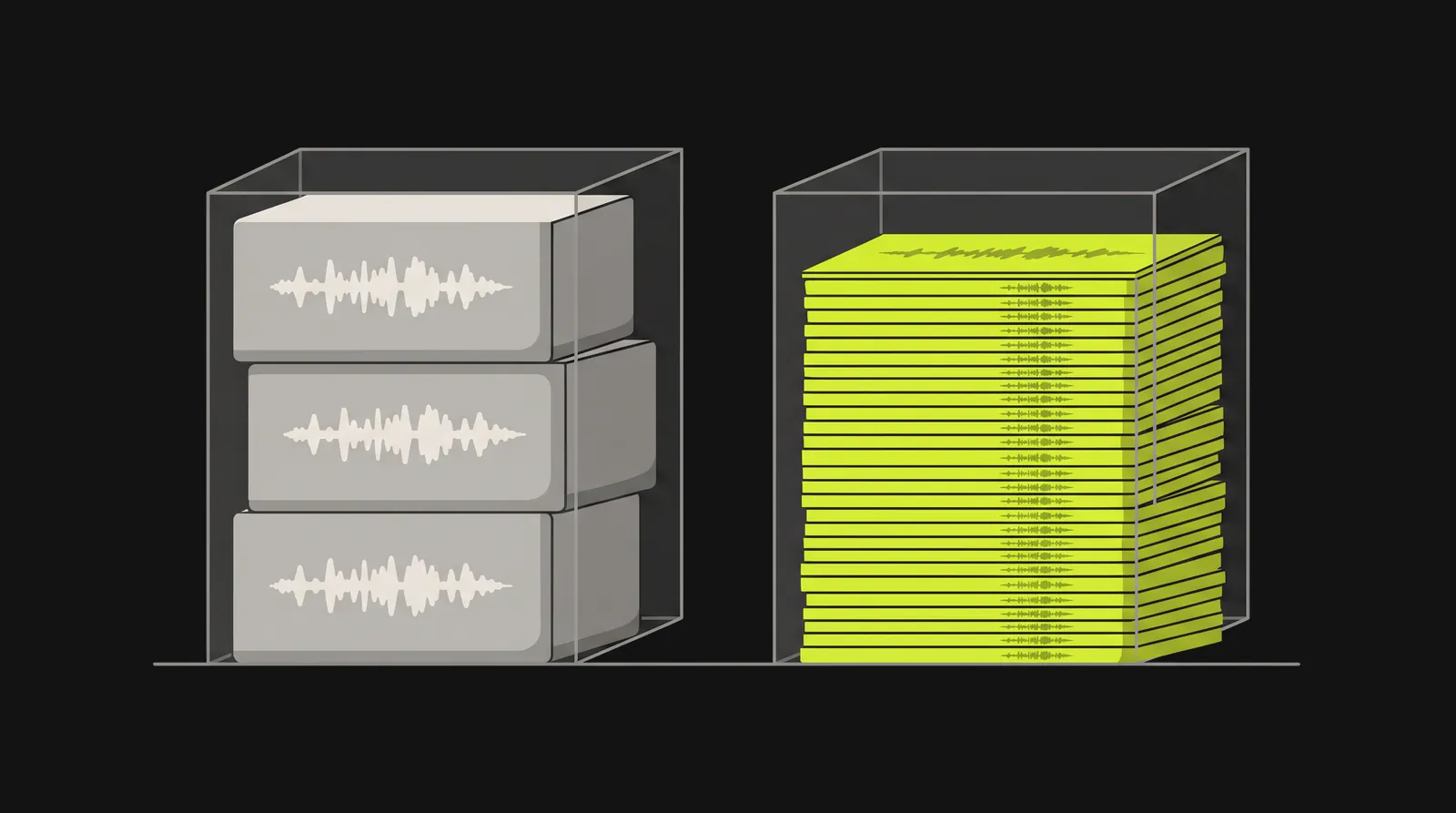
The same 512 MB holds about 48 minutes of CD-quality WAV, or about 17 hours 46 minutes of MP3 at 64 kbps.
Getting the right file
You may already have an audio-only file:
- iPhone Voice Memos exports recordings as .m4a by default (share it, or save it to Files).
- Zoom recordings, to your computer or the cloud, come with an M4A audio file next to the MP4 video.
- QuickTime Player on a Mac turns a video into audio: choose File, then Export As, then Audio Only, and it saves an MPEG-4 audio file.
If you're comfortable with a terminal, the free FFmpeg tool does both jobs. The first command takes a video or a large WAV and makes a small mono M4A, which is plenty for speech. The second cuts a long file into 30-minute parts:
ffmpeg -i recording.mp4 -vn -ac 1 -c:a aac -b:a 64k recording.m4a
ffmpeg -i recording.m4a -f segment -segment_time 1800 -c copy part%02d.m4a
We ran both on test files before publishing. The first gave an audio-only M4A at about 64 kbps, which by the table above is around 17 hours per 512 MB.
How accurate and reliable is it?
OpenAI doesn't publish an accuracy figure for transcripts of uploaded audio. What it does say, across its help pages:
- Uploaded audio: "Transcripts may contain errors, and speaker identification may be unreliable."
- Languages: "Audio understanding and transcription performance may vary across languages."
- Record mode "works best in English today."
- Voice: "Voice transcripts are not verbatim records and may not exactly match what was said."
The one number OpenAI gives is for dictation. When it moved dictation to a new speech-to-text model in June 2026, it said word error rate was at least 10 percent lower for the top languages it tested than with its previous production model, in its own evaluations. That is an improvement on an earlier figure OpenAI never published, so it tells you dictation got better, not how good it is.
Early hands-on tests show why OpenAI hedges. The French tech site Clubic tested audio uploads on October 7 with two phone interviews in good audio quality. ChatGPT read the length of a 90-minute MP3 correctly, then never transcribed it, and offered to connect Descript instead. For a 13-minute interview with three speakers, it asked for the file in two halves, then returned a transcript "presented as complete" that covered only half the interview. It took several corrections to get both halves in order. Clubic found ChatGPT's text the nicest to work with, but a dedicated transcription tool it compared handled the full 13 minutes in one pass.
So check two things. First, that the whole recording made it into the transcript. Second, the places speech recognition usually slips: names, numbers, technical terms, and people talking over each other. If speaker labels matter, listen to the first few minutes and confirm ChatGPT has the right person on each label before you trust the rest.
Can ChatGPT do voice to text?
Yes, with the microphone icon in the message box. OpenAI describes it this way: "the recorded audio is sent to our models to be transcribed. The transcription is returned as text, which you can edit before sending as a user message." Dictation is on every plan: OpenAI's release notes describe dictation updates "for all logged-in users" in January 2026 and a new model "across all plans" in June 2026.
The limit is where the text goes. Dictation fills ChatGPT's own message box and nothing else. If you want your words in an email or a document, you dictate into ChatGPT, then copy and paste. OpenAI doesn't document a maximum dictation length.
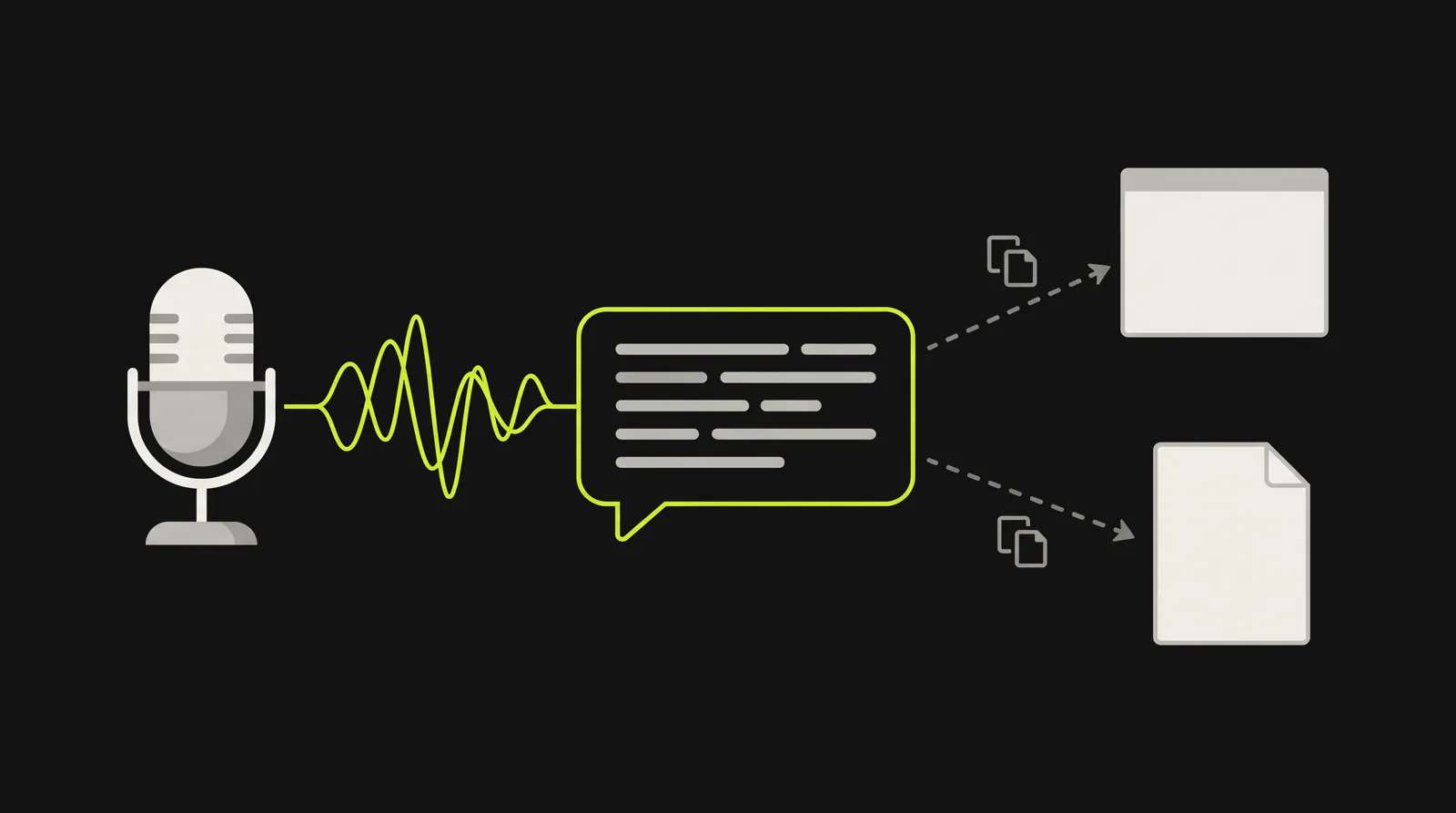
ChatGPT's dictation fills its own message box and nothing else. To use the words anywhere else, you copy and paste.
If dictation fails in the new desktop app with "Codex dictation usage limit reached," you're not alone: users on Mac and Windows have reported it on OpenAI's forum, and OpenAI staff said on November 5 that they're investigating.
OpenAI's own rule for choosing between dictation and Voice: "Use Voice for a live, back-and-forth conversation or to talk through ideas. Use ChatGPT Dictation when you want to record a prompt, review and edit its transcription, and then send it as text." If you're not sure whether you need speech typed as you talk or a recording converted afterwards, our explainer on dictation vs transcription covers the difference.
Can ChatGPT transcribe in real time?
Your own words, yes: on Android, dictation "updates as you speak," per OpenAI's February 2026 release notes, though only inside ChatGPT's message box. A live transcript of a meeting is a different job, and as of November 2026 OpenAI documents it only in the Mac desktop app. There's no meeting recorder in ChatGPT's phone apps, and none on Windows.
Record. "ChatGPT live-transcribes as you talk," with pause and resume, for up to 4 hours (240 minutes) a session. It labels speakers it can't name as "Speaker 1" and so on, which you can rename. OpenAI lists it for Plus, Pro, Business, Enterprise and Edu, and asks you to get consent before recording other people. The catch is which app. Record lives in the older Mac app, now called ChatGPT Classic, and an OpenAI staff member confirmed on November 3 that it "isn't supported in the new desktop app." 9to5Mac reported on November 2 that a banner in Classic says it "will retire on January 30, 2027." Unless OpenAI changes plans, Plus subscribers lose their built-in meeting recorder then.
Meetings plugin. The note-taker in the new Mac app, for online calls and in-person conversations, with no bot joining the call. It's in beta for Pro and Business plans, with "Support for iOS, Android, and Windows" listed as coming soon. Notes arrive a few minutes after you stop, not live, and sessions stop at 4 hours. In The Deep View's test, the transcript was faithful but had no labels for who said what. Once your notes are ready, OpenAI says the audio is deleted from your Mac and its servers.
Voice doesn't fill this gap. ChatGPT's spoken replies appear as text while it talks, but your side becomes a transcript only after the conversation, and OpenAI says Voice is "not yet optimized for conversations with multiple speakers."
What happens to your audio
OpenAI handles audio differently for each route:
- Dictation: audio is kept "for as long as the chat is part of your chat history." Delete the chat and OpenAI deletes the audio within 30 days, with exceptions for security and legal reasons, and for audio you'd already shared for training.
- Voice (Live and Advanced): audio clips are stored with the chat's transcript and "retained for 30 days." With Standard voice, OpenAI deletes the audio once it's transcribed.
- Record: audio is "only used for transcription purposes, and deleted afterward." The transcript and notes stay in your chat history like any conversation.
- Uploaded audio files: OpenAI's upload page describes retention for saved files and conversations in general (deleting a chat and deleting a saved file are separate actions) but says nothing specific about audio files, as of November 2026.
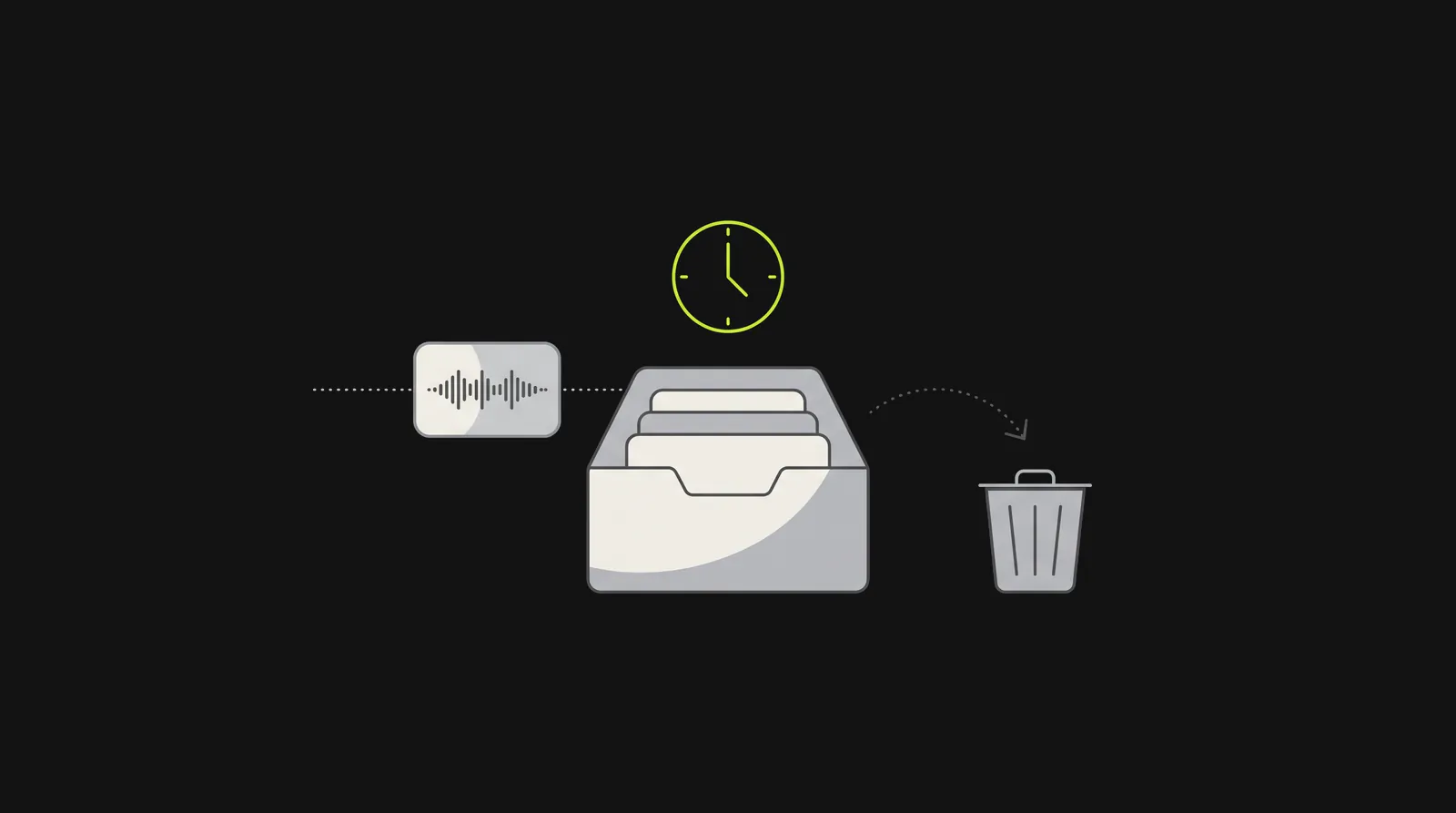
How long OpenAI keeps audio depends on the route: dictation audio stays as long as the chat does, and Live and Advanced Voice clips are kept for 30 days.
On training: "Improve the model for everyone" is on by default for Free, Plus and Pro personal accounts, but OpenAI trains on dictation and Voice audio only if you've also chosen to share audio. You can stop sharing under Settings, Data Controls, by turning off "Include your audio recordings" or "Improve the model for everyone." OpenAI says it doesn't train on Record audio, but its transcripts and notes can be used for training when "Improve the model for everyone" is on. OpenAI says it doesn't train on business users' inputs by default.
For developers: OpenAI's transcription API
The API is billed per minute of audio, and separately from any ChatGPT subscription. As of November 2026, OpenAI recommends two models:
| Model | Use it for | Price |
|---|---|---|
| gpt-transcribe | Recorded files, up to 25 MB each | $0.0045 a minute ($0.27 an hour) |
| gpt-live-transcribe | Live audio from a microphone, call or stream | $0.017 a minute ($1.02 an hour) |
whisper-1 (OpenAI's hosted version of its open-source Whisper V2 model), gpt-4o-transcribe, gpt-4o-mini-transcribe and gpt-4o-transcribe-diarize are deprecated and "will shut down on February 26, 2027," per OpenAI's transcription guide and deprecations page. One older snapshot, gpt-4o-mini-transcribe-2025-03-20, goes earlier, on January 20, 2027. If your code calls whisper-1, plan the move now.
Two more things before you build. Files can be up to 25 MB; for bigger recordings OpenAI says to compress them or split them into chunks of 25 MB or less, without splitting mid-sentence. And OpenAI's guide documents subtitle formats and word timestamps only with whisper-1, and speaker labels only with gpt-4o-transcribe-diarize, both being retired; gpt-live-transcribe "doesn't return word-level timestamps, speaker labels, or transcription confidence scores."
When a dictation app is the better tool
If ChatGPT turned your recording away (you're on the Free plan, or a long file timed out), Dictation Daddy also transcribes recordings you upload: WAV, MP3, M4A, MP4, WEBM, OGG and FLAC files up to 500 MB.
Its main job is the one ChatGPT doesn't do at all: you speak, and the words appear in the email, document, chat or patient record you already have open. ChatGPT's dictation stops at its own message box. Dictation Daddy types into whatever app you're in, on Mac and Windows, on Android as a keyboard, and in Chrome through its extension, Google Docs included. The iPhone app is coming soon. Live dictation reaches 98 to 99 percent accuracy from your first sentence with no voice training, and it adds punctuation and capitalization itself, so you don't say "period" or "new paragraph."
The tradeoff: Dictation Daddy needs an internet connection, because it processes speech in the cloud, so your audio leaves your device.
Full disclosure, you are reading this on the Dictation Daddy website, so we are a little biased. See what real users are saying, then try live dictation: your first 100 dictations are free, with no credit card required.
How ChatGPT's audio features got here
If you've read three pages on this and got three answers, the dates explain it:
| Date | What changed |
|---|---|
| June and July 2025 | Record mode arrives in the Mac desktop app: Team plans first, then Pro, Enterprise and Edu, then Plus |
| June 26, 2026 | Dictation moves to a new speech-to-text model on all plans |
| July 2026 | The API gets gpt-transcribe and gpt-live-transcribe |
| August 26, 2026 | OpenAI tells developers that whisper-1 and the gpt-4o transcription models shut down on February 26, 2027 |
| September 29, 2026 | The Meetings plugin launches in beta in the Mac desktop app, for Pro and Business |
| October 6, 2026 | Audio file uploads arrive in ChatGPT for paid plans |
| January 30, 2027 | ChatGPT Classic, the Mac app with Record, is due to retire (per 9to5Mac) |
Dates are from OpenAI's release notes and developer docs unless marked.
The bottom line
If you have a recording and a paid ChatGPT plan, upload it, ask for a word-for-word transcript, and check names and numbers against the audio before you use it. If you're on the Free plan, you can't upload audio, but dictation turns your own voice into a prompt. If you need a live transcript of a meeting, that's Record or the Meetings plugin, and only on a Mac. If you build with OpenAI's API, use gpt-transcribe and move off whisper-1 before February 26, 2027.
And if you want to talk and have text land where you're working, use a dictation app. Here's what people who use Dictation Daddy say.
FAQ
Can ChatGPT transcribe audio for free?
No, not from a file. As of November 2026, OpenAI says "Audio uploads are not available on the Free plan at this time." Free users can still use dictation, the microphone icon, to turn their own speech into text inside ChatGPT.
How long an audio file can ChatGPT transcribe?
OpenAI caps audio uploads at 512 MB and doesn't state a maximum length. At 128 kbps, 512 MB is almost 9 hours of MP3 or M4A, but OpenAI warns that "very long recordings may time out," so split long recordings into shorter files if one fails.
Can ChatGPT transcribe a video?
Not reliably. ChatGPT accepts video attachments, but OpenAI says it "may not analyze the entire video or accurately interpret its audio," and video MP4 or WebM files aren't accepted as audio uploads. Save the audio as its own M4A or MP3 file and upload that.
Can ChatGPT transcribe a voice memo?
Yes, on a paid plan. iPhone Voice Memos exports recordings as M4A files, which ChatGPT accepts. Share the memo or save it to Files, then attach it to a chat.
Can ChatGPT tell different speakers apart?
Sometimes. Record mode on the Mac app labels speakers. For uploaded files, OpenAI warns that "speaker identification may be unreliable," so check the labels against the recording.
Does ChatGPT use Whisper to transcribe audio?
OpenAI's release notes called dictation "Whisper" in early 2025, but since June 2026 dictation runs on a new speech-to-text model OpenAI hasn't named, and it doesn't say which model handles uploaded audio. In the API, whisper-1 is OpenAI's hosted version of its open-source Whisper model, and it shuts down on February 26, 2027, replaced by gpt-transcribe and gpt-live-transcribe.
Does ChatGPT keep my audio?
It depends on the feature. Dictation audio is kept as long as the chat exists, and deleted within 30 days after you delete the chat, unless you'd shared it for training. Live and Advanced Voice clips are kept for 30 days. Record deletes audio after transcription. OpenAI doesn't say anything specific about uploaded audio files beyond its general file retention rules.
Which OpenAI model is best for transcription?
For the API, OpenAI recommends gpt-transcribe for recorded files and gpt-live-transcribe for live audio, as of November 2026. whisper-1 and the gpt-4o transcription models shut down on February 26, 2027.
Ready to try it?
Turn your voice into polished text
Free for your first 100 dictations. Works in every app. No credit card required.