
Best Radiology Dictation Software & Voice Recognition (2026)
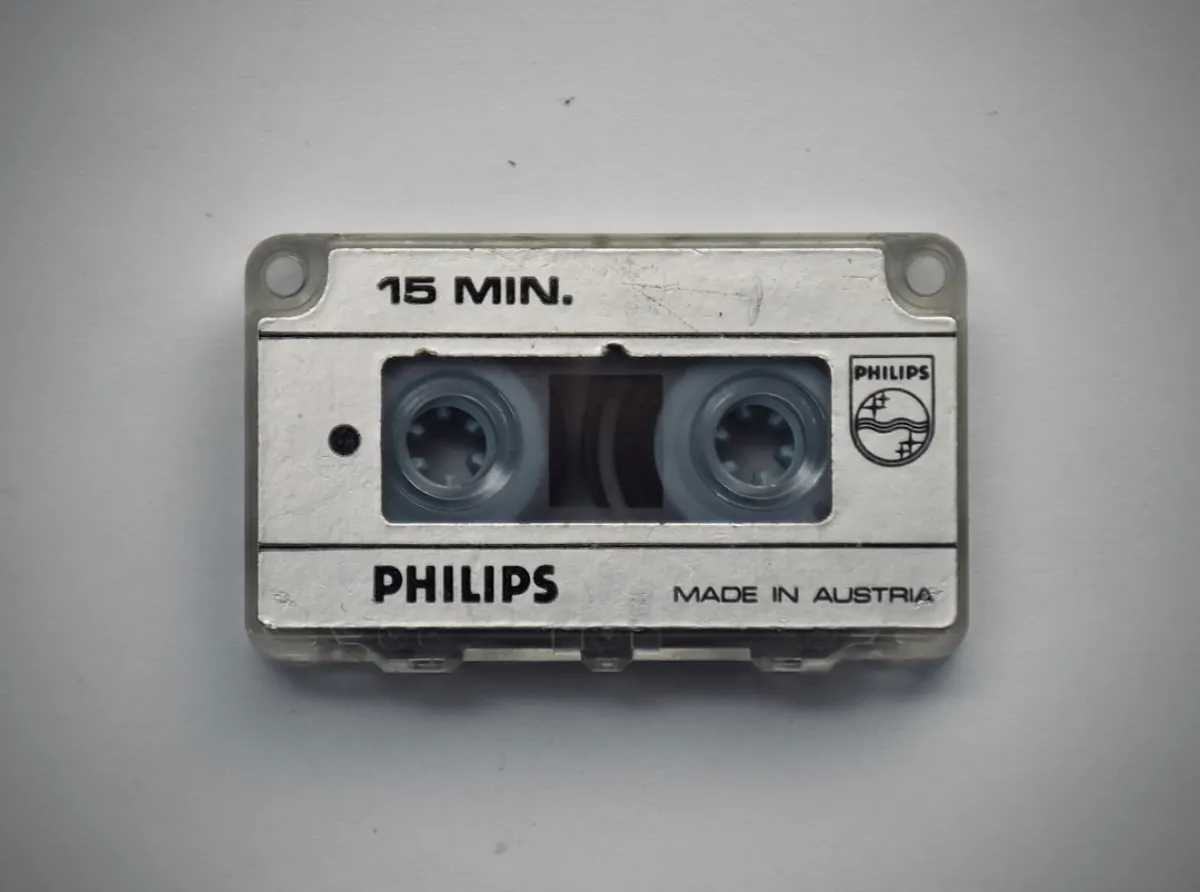
One word can flip the meaning of a radiology report. Dictate "left lower lobe infiltrate," let the software hear "right," and the report now describes the wrong lung. Anatomical sides, measurements in millimeters and dense imaging terminology are why radiology dictation is harder than dictating a routine office note, and why the software you choose matters.
Quick answer (October 2026): The best radiology dictation software depends on who is buying it. Hospital radiology departments usually standardize on an enterprise reporting platform such as PowerScribe One or Fluency for Imaging, which tie dictation into the RIS, PACS and EHR. Individual radiologists, teleradiologists and small groups who need accurate dictation on their own Mac or Windows machine can use an AI dictation app like Dictation Daddy, which handles radiology terminology without voice training and types straight into the report field.
Dictation Daddy is an AI dictation app for Mac, Windows, Android and Chrome with a medical mode for clinical terminology. Radiologists use it to dictate findings and impressions into RIS fields, PACS viewers, PowerScribe fields and Word templates, with no voice training. It works with dictation microphones such as the Philips SpeechMike and Nuance PowerMic. The Solo plan costs 99 dollars a year, or 15 dollars month to month, after a 7-day free trial.
Full disclosure: I built Dictation Daddy. I'll stick to things you can check, and I'll tell you where it isn't the right fit. If you want to hear from people who use it, see what real users are saying.
What Radiology Voice Recognition Actually Needs to Do
Regular speech-to-text fails badly with radiology terminology. Generic software confuses "ileum" with "ilium" and can turn "pneumothorax" into "new motor thorax." Consumer dictation can make "subcutaneous emphysema" unrecognizable.
Radiology reports sound like this: "Contrast-enhanced CT of the abdomen shows hepatomegaly with multiple hypodense lesions throughout both lobes, measuring up to 3.2 centimeters in the right lobe." Or worse: "CTPA shows no PE with trace bilateral pleural effusions and dependent atelectasis."
The software needs to handle anatomical terms, measurements with units, medical abbreviations and diagnostic classifications, all in sentences that become legally defensible documents.
How Radiology Voice Recognition Systems Work
A radiology voice recognition system turns a radiologist's spoken findings into report text. Front-end systems, such as PowerScribe One and Fluency for Imaging, show the text as you speak, so the radiologist corrects and signs the report in one pass. Back-end systems record the audio and produce a draft that a transcriptionist edits before sign-off. Front-end recognition removes the transcription step, but it moves all of the proofreading onto the radiologist.
Front-end vs back-end speech recognition
With back-end recognition, you dictate, the system produces a draft, a transcriptionist fixes it, and the report comes back to you to sign. You get a second pair of eyes, at the cost of turnaround time and transcription spend.
With front-end recognition, the text appears live in your report. There is no transcriptionist, so turnaround depends only on you. The trade-off is that every error the software makes is yours to catch before you sign. That is why accuracy on radiology terminology, and your own proofreading habits, matter more than any feature list.
Enterprise reporting platforms in this category are front-end systems. KLAS ranks them in a category it calls "Speech Recognition: Front-End Imaging," where Fluency for Imaging ranked first in 2026 for the fifth year running. AI dictation apps like Dictation Daddy are front-end too: the words land in your report as you speak.
Radiology Dictation Software Compared
The options fall into three groups: reporting platforms your institution deploys, clinical speech recognition sold per clinician, and dictation apps you install yourself. Prices and platforms below come from each vendor's own pages as of October 2026.
| Product | Best for | Platforms | How it fits your reporting workflow | Published price |
|---|---|---|---|---|
| PowerScribe One (Microsoft) | Hospital radiology departments, large groups | Deployed by your institution | Reporting platform with RIS, PACS and EHR integration and templates | No, quoted per contract |
| Fluency for Imaging (Jacobian) | Hospital radiology departments | Deployed by your institution | Reporting platform with front-end speech recognition | No |
| Rad AI Reporting | Radiology groups, health systems | Cloud | Reporting platform with generative AI and its own speech recognition | No |
| Dragon Medical One (Microsoft) | Clinicians across specialties | Windows; Mac only through Citrix, Parallels, VMware or Boot Camp | Dictates into EHRs and other Windows apps | No list price. One US reseller lists $99/month on a 1-year term plus a $525 setup fee |
| VoiceboxMD | Clinicians across specialties, including radiology | Windows, Mac (macOS 11+), iOS | Text lands where your cursor is, alongside RIS and PACS viewers | $49, $79 or $99 per month |
| Dictation Daddy | Individual radiologists, teleradiology, moonlighting, small groups | Mac, Windows, Android, Chrome extension | Text lands where your cursor is: RIS, PACS viewer, PowerScribe fields, Word templates. Does not pull study data | $99 a year or $15 a month, 7-day free trial |
| Windows voice typing / macOS Dictation | Light, non-clinical use | Windows / Mac | Types into the active field. No documented medical vocabulary | Free |
None of the enterprise platforms publish a list price. Expect a quote based on your department's size, integrations and implementation work.
PowerScribe: The Enterprise Standard
Nuance PowerScribe is the incumbent reporting platform in many hospital radiology departments, and the current version is PowerScribe One, Microsoft's cloud-based reporting platform.
What it does well. PowerScribe pairs speech recognition tuned for radiology with the reporting workflow around it. It integrates with PACS and RIS, uses templates for common study types, and pulls patient and study details into the report automatically.
What it costs. Microsoft doesn't publish PowerScribe pricing. It is sold as an enterprise contract, so the number depends on your department's size and how much integration work it needs.
Who owns it now. Microsoft announced its acquisition of Nuance in April 2021 for 19.7 billion dollars including net debt, and closed the deal in March 2022. Since then it has been moving radiology customers to the cloud. In November 2025 Microsoft announced Dragon Copilot for radiologists, a companion for PowerScribe One that was still in preview at the time of writing.
The PowerScribe 360 retirement
Microsoft is retiring PowerScribe 360 in favor of the cloud-based PowerScribe One. The Imaging Wire's March 2026 report on Microsoft's notice to customers says annual renewals ended on August 31, 2026, and support ends on August 31, 2027. Departments still on 360 are choosing between migrating to PowerScribe One and moving to another reporting platform. Individual radiologists who read outside that system can add a standalone dictation app.
A migration is also a good moment to ask whether every reader needs the full platform. Teleradiology, moonlighting and home reading often happen in someone else's system anyway. Our PowerScribe guide covers when PowerScribe makes sense and the alternatives.
Dragon Medical One and Dragon Copilot
Dragon Medical today means Dragon Medical One, Microsoft's cloud speech recognition for clinicians across specialties. It is sold by subscription and, according to Microsoft, needs no voice profile training. Microsoft doesn't list a price, but one US reseller lists it at 99 dollars a month on a one-year term plus a 525 dollar implementation fee. The older one-time-purchase Dragon Medical Practice Edition reached end of sale in the US in March 2021.
Dragon isn't standing still. Microsoft launched Dragon Copilot in March 2025, combining dictation with ambient listening and generative AI, and is previewing a radiology version that works alongside PowerScribe One.
The catch for many radiologists is the platform. Dragon Medical One is a Windows application. Microsoft's own guidance for Mac users is to run it through Citrix, Parallels, VMware or Boot Camp, and Nuance discontinued the consumer Dragon for Mac in 2018. Mac-using radiologists who read from home or on a MacBook end up maintaining a Windows environment just for dictation. It's one of the most common complaints I hear.
Dictation Software vs Radiology Reporting Software
Radiology dictation software converts speech to text. Radiology reporting software is the larger platform the report lives in: it pulls the patient and study from the RIS and PACS, applies templates and structured reporting, and sends the signed report on to the EHR. PowerScribe One, Fluency for Imaging and Rad AI Reporting are reporting platforms with speech recognition built in. A standalone dictation app like Dictation Daddy types into whichever reporting system you already use.
Reporting platforms are also where standardization lives: structured templates, macros shared across a department and consistent impression wording. If your goal is radiology dictation standardization across a group, that's a reporting-platform decision. If your goal is faster, more accurate text in the system you already report in, that's a dictation decision.
Do you need PACS integration?
Integration is the main reason departments pay for a reporting platform. Patient and study details, priors and templates load automatically, and the signed report lands in the right place.
A standalone dictation app doesn't do that. Dictation Daddy types into whichever field your cursor is in, so you dictate straight into the RIS or PowerScribe field rather than copying text across, but it doesn't pull the study data itself.
For teleradiology, moonlighting and small practices, that trade-off is often fine. The system you read in already has the patient context, and you only need the words in the box. For a department running large volumes through shared templates and worklists, integration is worth paying for.
How Do AI Dictation Tools Compare to Traditional Speech Recognition?
AI dictation tools use large neural speech models that already know medical vocabulary, add punctuation and paragraphs on their own, and need no per-user voice training. Older desktop products, such as Dragon Medical Practice Edition, built a voice profile for each user and improved as that user corrected it; current cloud products such as Dragon Medical One have dropped voice profile training too. All of them still transcribe what you say, not what the image shows.
Compared with older desktop speech recognition, the differences show up in four places:
No training period. AI models handle complex radiology terms from the first dictation: pneumothorax, hemithorax, adenopathy, infiltrate, consolidation, atelectasis, hemidiaphragm, pneumomediastinum, bronchiectasis, interstitial markings.
Automatic formatting. Punctuation, new lines and paragraphs are added without voice commands. No more saying "period, comma, new paragraph" while you describe findings.
Accents. Models trained on many speakers tend to cope better with varied accents than a profile trained on one voice.
Abbreviations. Say "CTPA shows no PE" and the model knows what you mean. "T2-weighted FLAIR sequence," "DWI with ADC mapping" and "gadolinium-enhanced T1" come through without setup.
How Accurate Is Radiology Speech Recognition?
Published studies show that speech recognition errors in radiology reports are common unless reports are proofread carefully. A Mayo Clinic review of 213,977 reports dictated with PowerScribe found that 9.7 percent contained errors and 1.9 percent contained material errors, and cross-sectional imaging reports had 3.72 times the odds of containing an error compared with plain radiograph reports. An earlier Toronto breast-imaging study found major errors in 23 percent of speech-recognition reports, compared with 4 percent of transcribed reports.
Two things stand out. Error rates were far higher on cross-sectional reports, the long CT and MRI dictations where terminology is densest. And errors only get caught if someone reads the report carefully before signing it.
Vendors rarely publish independent accuracy figures for radiology, and we couldn't find a published word error rate for any product in this guide, ours included. The most reliable test is your own reports.
How to test any radiology dictation tool:
- Dictate 10 real recent reports, including your longest CT or MRI.
- Count corrections per report, not just whether it "felt accurate."
- Check every laterality, measurement and unit.
- Try your subspecialty's hardest terms and abbreviations.
- Compare the results against what you use today.
Sources: Ringler, Goss and Bartholmai, MEDINFO 2015; AJR, 2011.
The Critical Limitation of AI Dictation Apps
Standalone AI dictation apps, Dictation Daddy included, transcribes what you say accurately. What it doesn't do reliably yet:
Understand anatomical context. If you say "right" when the imaging clearly shows left-sided findings, AI won't catch that. It transcribes what you said, which might be clinically wrong.
Validate measurements. If you say "3 millimeter nodule" for something that measures 3 centimeters on imaging, AI won't flag the error. It assumes you know what you're seeing.
Catch missing critical findings. If you don't mention a pneumothorax visible on the image, AI won't remind you.
Some enterprise reporting platforms add checks for part of this. PowerScribe One's Quality Check, for example, flags a dictated side that doesn't match the ordered exam, sex mismatches and possible critical results. A standalone dictation app never sees the order, so it can't. Either way, radiologist review before sign-off is essential.
Dictation Daddy for Radiology Reporting
I built Dictation Daddy, so read this section with that bias in mind. Here is what it does for radiology work:
- Radiology vocabulary built in. You can add subspecialty terms, named protocols and referrer names to your custom vocabulary.
- No voice training. Install it and start dictating.
- Types where you report. Text goes into whichever field has your cursor: RIS report fields, PACS viewers, PowerScribe fields, Word templates.
- Native on Mac and Windows, plus Android and a Chrome extension. On a Mac there's no Parallels or Windows virtual machine involved.
- Works with your microphone, including the Philips SpeechMike and Nuance PowerMic.
- No audio stored. Your voice is transcribed and the audio is discarded.
- Published pricing. The Solo plan is 99 dollars a year (shown as 8 dollars a month) or 15 dollars month to month, with a 7-day free trial and no credit card required. See pricing.
- Enterprise options. HIPAA compliance with a BAA, and SOC 2, are available on the Enterprise plan on request.
Best suited for: individual radiologists, teleradiology, moonlighting, home reading and small groups, especially on Mac.
May not be ideal for: departments that need dictation tied to worklists, study data and shared templates inside the reporting platform. That is what PowerScribe One and Fluency for Imaging are for.
Key reason to consider it: accurate radiology dictation on your own Mac or Windows machine, with no voice training, at a published price under 100 dollars a year.
See Dictation Daddy for radiologists for setup details.
Dictation Microphones, Dictaphones and Headsets
Dictation Daddy works with external dictation microphones through your computer's normal sound settings, including the Philips SpeechMike and Nuance PowerMic, with no special drivers. Headsets and built-in laptop microphones also work. On Windows, you can also use Philips SpeechControl to map the SpeechMike's record button to Dictation Daddy's keyboard shortcut, so dictation starts and stops from the device.
If you already own a SpeechMike or PowerMic from a hospital setup, you can keep using it. Our SpeechMike setup guide shows how to map the buttons on Windows. For home reading, a good USB headset works well too. What matters most is a consistent microphone position and a quiet room.
Enterprise vs Individual: Two Different Questions
"Best radiology dictation software" has two completely different answers depending on context.
Enterprise Radiology Departments
A reporting platform like PowerScribe One or Fluency for Imaging makes sense when you need:
- EHR integration. Reports flow into the electronic health record.
- PACS integration. Patient information and study details load automatically, and the report lands in the right place.
- Standardized templates. Organizational reporting templates and macros shared across radiologists.
- Workflow management. Routing, prioritization and quality assurance built into enterprise deployments.
- Dedicated IT support. These platforms need ongoing maintenance and updates.
If your institution has standardized on PowerScribe with deep PACS integration, the switching cost is high, and workflow automation across many radiologists justifies the enterprise cost. With PowerScribe 360 renewals ending, many departments are making this decision right now.
Individual Radiologists and Small Practices
Individual radiologists typically don't choose PowerScribe. Hospitals deploy it as enterprise infrastructure, and you use whatever your organization provides.
If your hospital doesn't have PowerScribe, or you're doing teleradiology, moonlighting or working in a smaller practice, you need an individual dictation solution that:
- Works on personal devices (home reading station, laptop)
- Doesn't require hospital IT approval and integration
- Handles radiology terminology accurately without training
- Costs a reasonable amount for an individual purchase
- Works across locations without VPN or hospital network access
AI dictation covers this for under 100 dollars a year, with no IT project.
Subspecialty Considerations
Different radiology subspecialties have different dictation needs:
Neuroradiology. Complex neuroanatomy vocabulary. Terms like "periventricular white matter hyperintensities," "sylvian fissure," "cerebellopontine angle mass." Detection AI for intracranial hemorrhage and stroke can run alongside dictation.
Chest radiology. Pulmonary and cardiac terminology. "Bilateral perihilar opacities," "cephalization of pulmonary vasculature," "trace pericardial effusion." High-volume reads where dictation speed matters most.
Musculoskeletal. Orthopedic vocabulary, fracture descriptions, anatomical variants. "Comminuted fracture of the distal radius with dorsal angulation," "grade 2 acromioclavicular separation."
Body imaging. Wide anatomical vocabulary across organ systems. "Heterogeneous hepatic parenchyma," "peripancreatic fat stranding," "bilateral hydroureteronephrosis."
The best dictation handles your subspecialty vocabulary accurately. Test with actual reports from your practice area before committing.
The Free Options
Windows voice typing (press Windows key + H) and macOS Dictation are free and built in. Windows voice typing uses Microsoft's online speech service, so it needs an internet connection, and it can add punctuation automatically if you turn that on in its settings. Neither Microsoft nor Apple documents a medical vocabulary, and terms like pneumothorax or hemidiaphragm can come out mangled. Google Docs voice typing is free inside Google Docs only and has no radiology features either.
Free options make sense for residents practicing dictation skills, preliminary reads that attendings finalize, or very light volume where correction time is negligible. For a full day of reads, the time spent fixing terminology usually costs more than a paid tool.
Typing vs Dictation
Plenty of radiologists I know just type their reports. They're faster typists than they realize, and fixing transcription errors feels more frustrating than typing it correctly the first time.
Dictation makes sense when accuracy is high enough that corrections are minimal. At 97 percent accuracy you fix about 3 words in every 100. At 90 percent, it's about 10.
It makes sense at high volume. If you're signing out 30 to 40 cases a day, dictation speed matters, but only if the transcription is accurate enough not to need extensive editing.
And for wrist or hand issues, health trumps efficiency.
If you spend more time correcting errors than you would have spent typing, your dictation software is costing you time instead of saving it.
HIPAA Compliance in Practice
Any radiology dictation involving patient information needs a security review.
PowerScribe. Compliance is handled at the institutional level, with organizational BAAs and security agreements.
Dragon Medical One. A cloud service, so audio leaves your machine for processing. Check that your organization's agreement covers it.
AI dictation services. Audio goes to remote servers for processing. Dictation Daddy doesn't store audio recordings, and offers HIPAA compliance with a Business Associate Agreement on its Enterprise plan.
Built-in OS dictation. A consumer feature. There is no BAA.
Here's what many radiologists actually do: they dictate findings and impressions without patient names, dates of birth or other identifying information. The patient demographics are already in the PACS or RIS. "3 millimeter nodule in the right upper lobe, recommend follow-up CT in 12 months" contains no protected health information. Watch the details, though: exam dates, comparison-study dates and accession numbers can count as identifiers too.
If your dictation contains no identifiers at all, a standard plan may be enough. If it does, use a plan that comes with a BAA.
Consult your practice's HIPAA compliance officer to decide whether your dictation workflow requires a BAA. Requirements vary with what you actually dictate.
What Actually Works
Here's how I'd decide:
For large hospital radiology departments with PACS integration needs and IT infrastructure: an enterprise reporting platform such as PowerScribe One or Fluency for Imaging. The integration with hospital systems justifies the contract.
For departments still on PowerScribe 360: you're making this decision now. Compare migrating to PowerScribe One against other reporting platforms, and check which readers actually need the full platform.
For individual radiologists, teleradiology and small groups: AI dictation such as Dictation Daddy. No training, automatic formatting, radiology terminology from day one, and a published price under 100 dollars a year.
For preliminary or after-hours reads: AI dictation on a laptop lets you dictate findings while you review images, without the enterprise infrastructure.
The radiology dictation software that makes sense in 2026 is the one that's accurate enough to need minimal corrections, handles your subspecialty terminology without training, and fits your budget and workflow. If that's you, try Dictation Daddy for radiologists free for 7 days on your own reports.
FAQ
What is the best radiology dictation software?
For hospital radiology departments that need RIS and PACS integration, an enterprise reporting platform such as PowerScribe One or Fluency for Imaging is the standard choice. Neither publishes a list price. For individual radiologists, teleradiology and small groups, an AI dictation app such as Dictation Daddy handles radiology terminology without voice training, runs natively on Mac and Windows, and costs 99 dollars a year.
What are radiology voice recognition systems?
They are speech recognition systems that turn a radiologist's dictation into report text. Front-end systems, including PowerScribe One, Fluency for Imaging and AI dictation apps, show the text live so the radiologist edits and signs it. Back-end systems produce a draft that a transcriptionist corrects before the radiologist signs.
Does radiology dictation software require voice training?
Older desktop products such as Dragon Medical Practice Edition built a voice profile for each user that improved as they corrected it. Current tools generally don't: Microsoft says Dragon Medical One needs no voice profile training, and Dictation Daddy needs none and handles terms like pneumothorax, adenopathy and atelectasis from the first dictation.
How accurate is radiology speech recognition?
It depends heavily on proofreading. A Mayo Clinic review of 213,977 PowerScribe reports found errors in 9.7 percent and material errors in 1.9 percent, and cross-sectional (CT and MRI-type) reports had 3.72 times the odds of an error compared with plain radiographs. Proofread every report, whatever tool you use.
Is PowerScribe 360 being discontinued?
Yes. Microsoft is retiring PowerScribe 360 in favor of the cloud-based PowerScribe One. Industry reporting says annual renewals ended on August 31, 2026, with support ending in 2027.
Is radiology dictation software HIPAA compliant?
It depends on the product and your contract. PowerScribe handles compliance at the institutional level. Dragon Medical One is a cloud service, so check that your organization's agreement covers it. Dictation Daddy doesn't store audio recordings and offers HIPAA compliance with a BAA on its Enterprise plan. Many radiologists dictate findings without patient identifiers, which reduces what needs protecting.
Can radiology dictation software work on Mac?
Dragon Medical One is a Windows application; on a Mac, Microsoft says to run it through Citrix, Parallels, VMware or Boot Camp. Dictation Daddy runs natively on Mac as well as Windows, Android and Chrome, so Mac-using radiologists can dictate without a Windows virtual machine.
Does AI dictation understand radiology abbreviations?
Generally, yes. Modern speech models recognize common radiology abbreviations such as CTPA, PE, DWI, ADC and FLAIR. Test your own during a trial, and in Dictation Daddy add any it misses to your custom vocabulary.
Can I use a Philips SpeechMike with Dictation Daddy?
Yes. Dictation Daddy works with the Philips SpeechMike and Nuance PowerMic through your normal sound settings, with no special drivers, and on Windows you can map the SpeechMike's record button to Dictation Daddy's keyboard shortcut using Philips SpeechControl.
Do radiologists actually need HIPAA-compliant dictation software?
It depends on what you dictate. Many radiologists dictate findings and impressions without patient names, dates of birth or other identifiers, because the demographics are already in the PACS or RIS. A dictation like "3 millimeter nodule in the right upper lobe, recommend follow-up CT in 12 months" contains no protected health information. Exam dates and accession numbers can count as identifiers, so check with your compliance officer for your workflow.
What is Dictation Daddy?
Dictation Daddy is an AI dictation app for Mac, Windows, Android and Chrome with a medical mode for clinical terminology. Radiologists use it to dictate into RIS fields, PACS viewers, PowerScribe fields and Word templates without voice training. The Solo plan costs 99 dollars a year or 15 dollars month to month, with a 7-day free trial.
Last updated: October 2026. Dictation Daddy pricing checked against dictationdaddy.com/pricing. Competitor details checked against Microsoft, Jacobian and Rad AI sources linked above.
Ready to try it?
Turn your voice into polished text
Free 7-day trial. Works in every app. No credit card required.